
Edit Speed Plan
Edit Speed
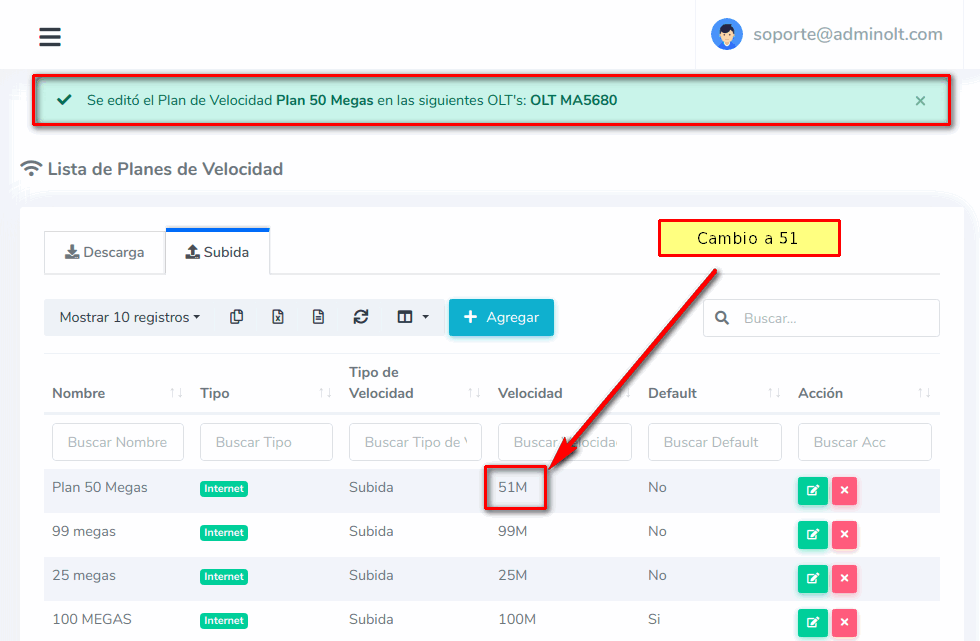
When modifying a Speed Plan, for example, from 50 Mbps to 51 Mbps, the current customers related to the plan will be affected, therefore their new speed would be 51 Mbps.
How do I edit a Download Speed Plan?
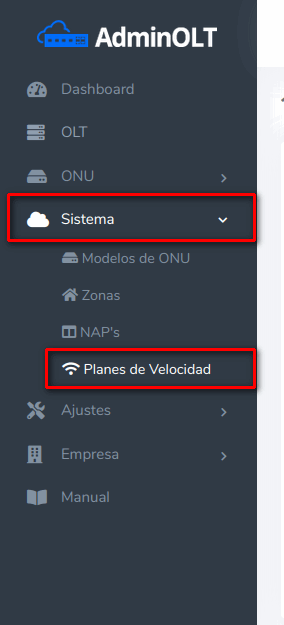
1 Go to System > Speed Plans
2 Choose the Speed Plan to edit.
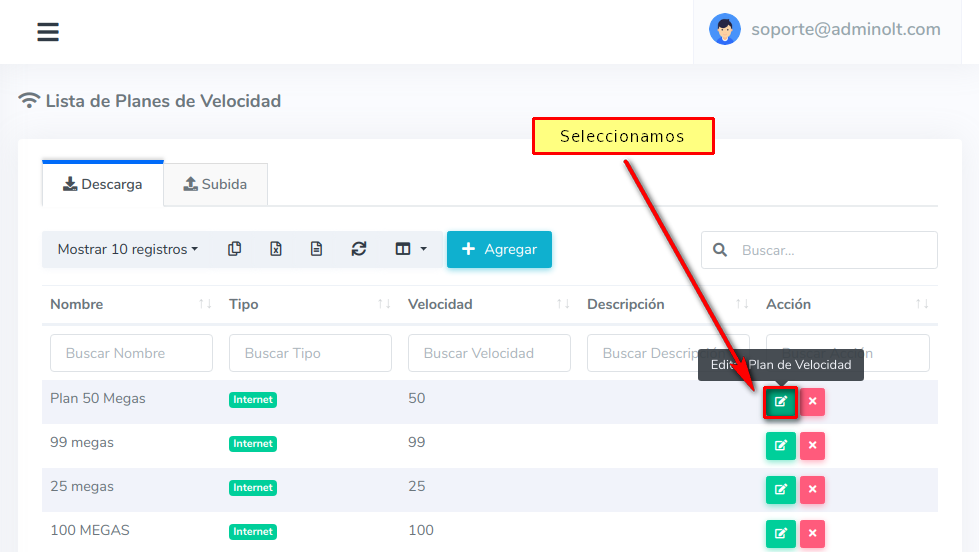
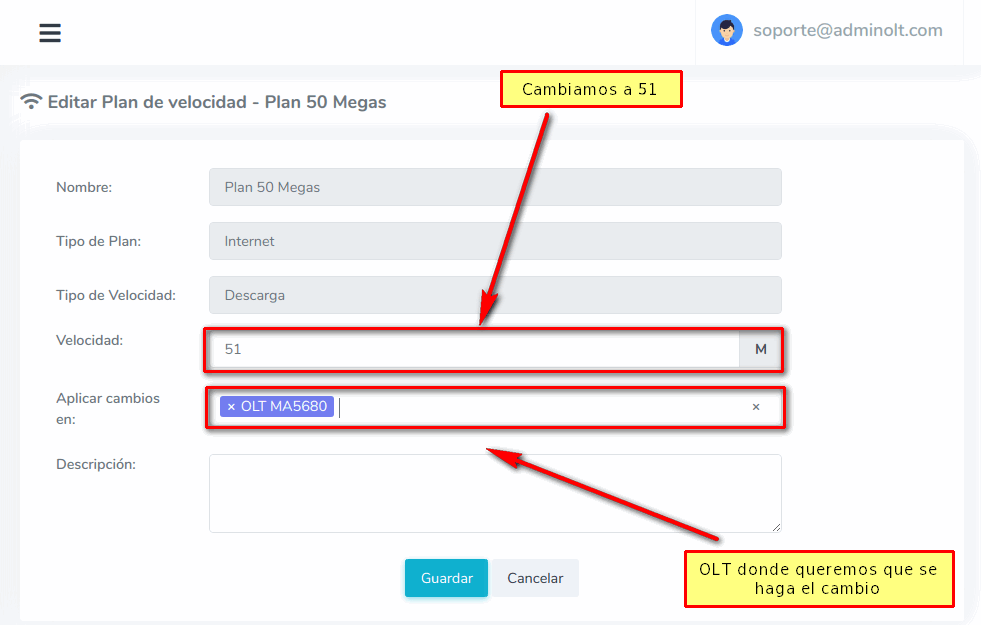
3 Edit
Edit Plan
In this case, we can only edit the Speed and Description.
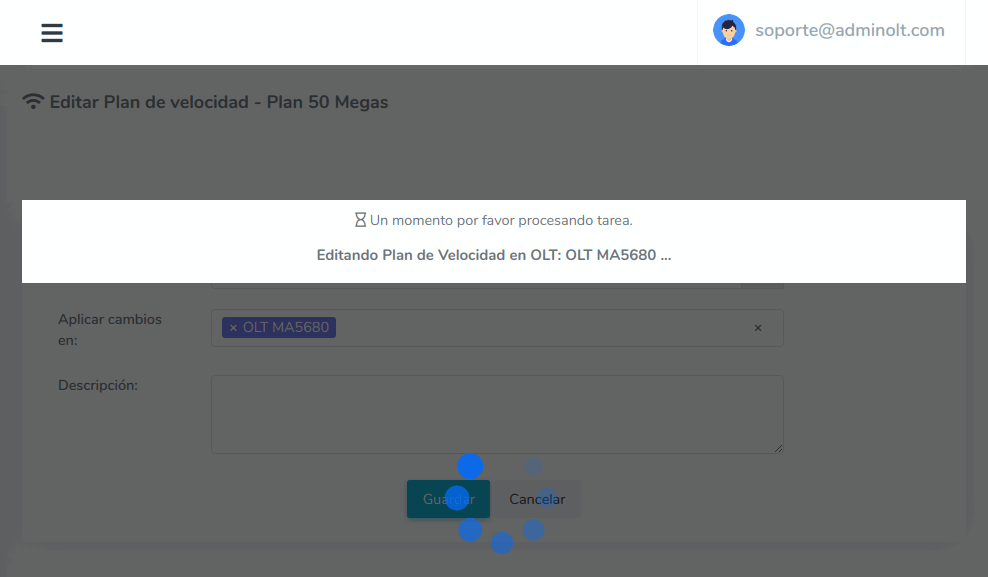
4 Wait while AdminOLT connects to the OLT and makes the changes.
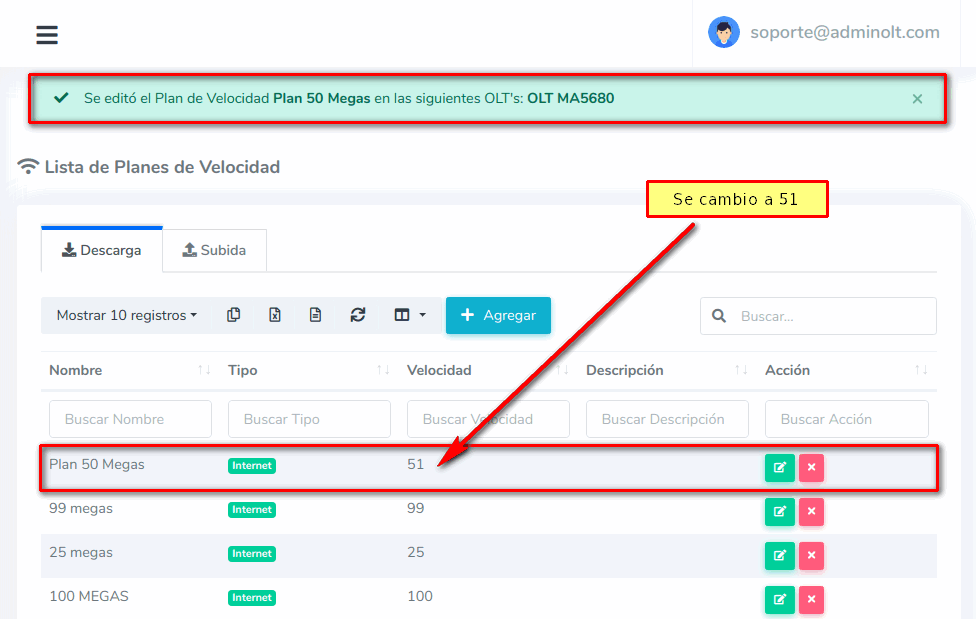
5 Once finished, we can see in the list that it has been edited correctly.
How do I edit an Upload Speed Plan?
1 Go to System > Speed Plans
2 Choose the Speed Plan to edit.
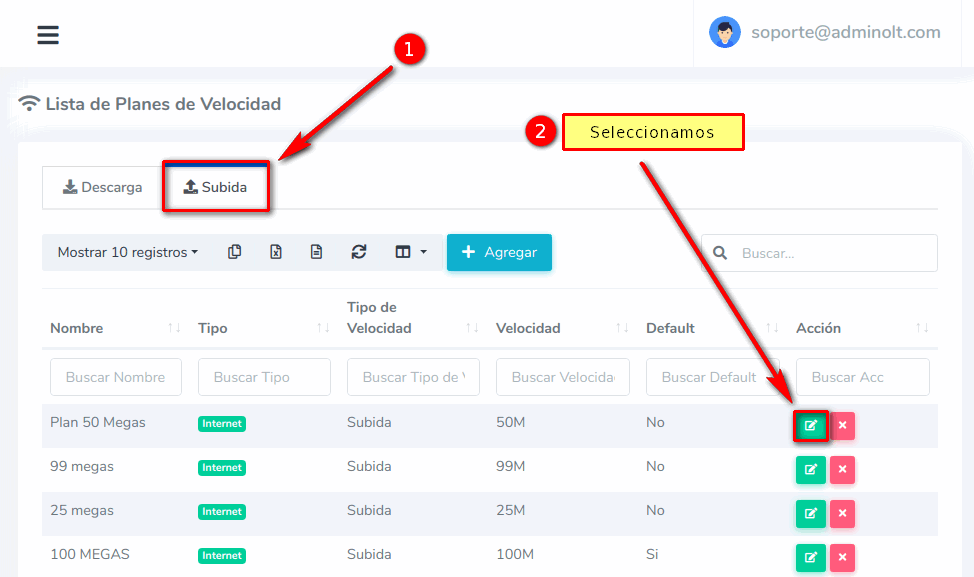
3 Edit
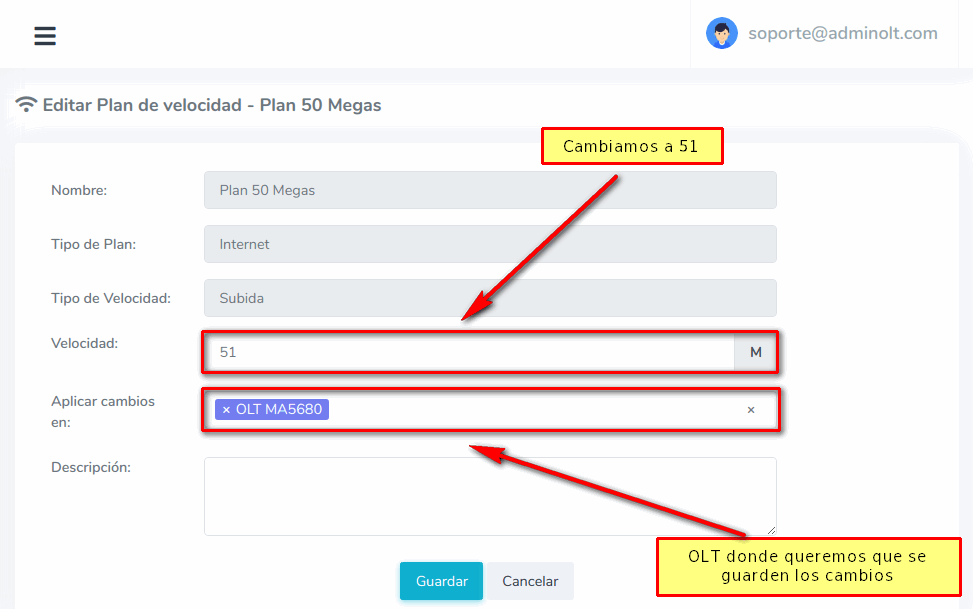
Edit Plan
In this case, we can only edit the Speed and Description.
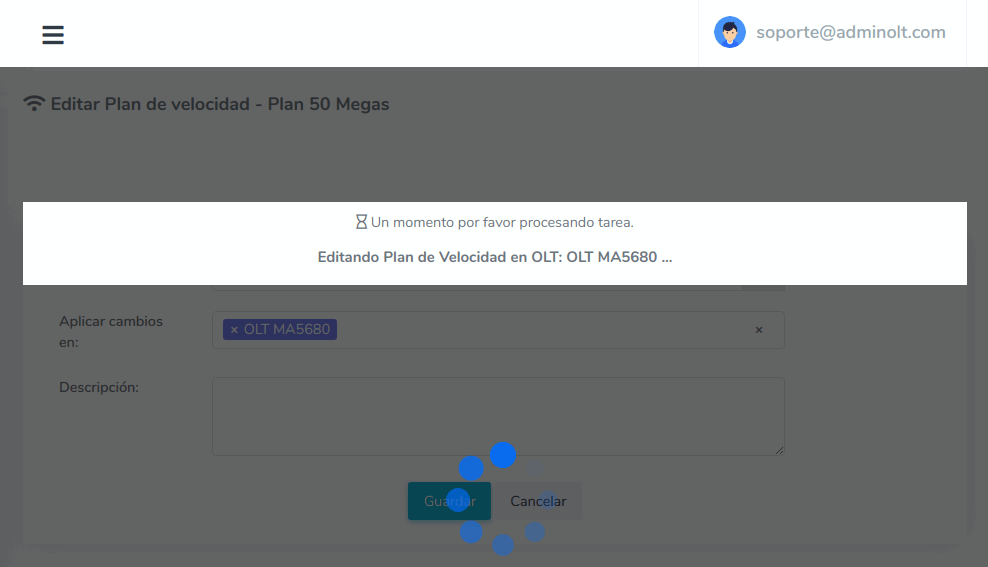
4 Wait while AdminOLT connects to the OLT and makes the changes.
5 Once finished, we can see in the list that it has been edited correctly.
April 12, 2024, 3:32 p.m. - Visitas: 12419